Interfaces
What You Will Do
In this chapter you create the two interfaces the SW-Cs communicate through: the sender-receiver interface IfSpeed for the speed value, and the client-server interface IfScale for the scale request.
Before You Begin
- Start after finishing Data Type.
| Interface | Tab | Element | Name | Type or direction |
|---|---|---|---|---|
IfSpeed | SENDER-RECEIVER | Data element | speed | TYPE SpeedType |
IfScale | CLIENT-SERVER | Operation | GetScale | |
IfScale | CLIENT-SERVER | Argument of GetScale | scale | DIRECTION OUT, TYPE SpeedType |
Creating IfSpeed
-
Click Interface under DESIGN, click the SENDER-RECEIVER tab, and click + above the INTERFACES list.
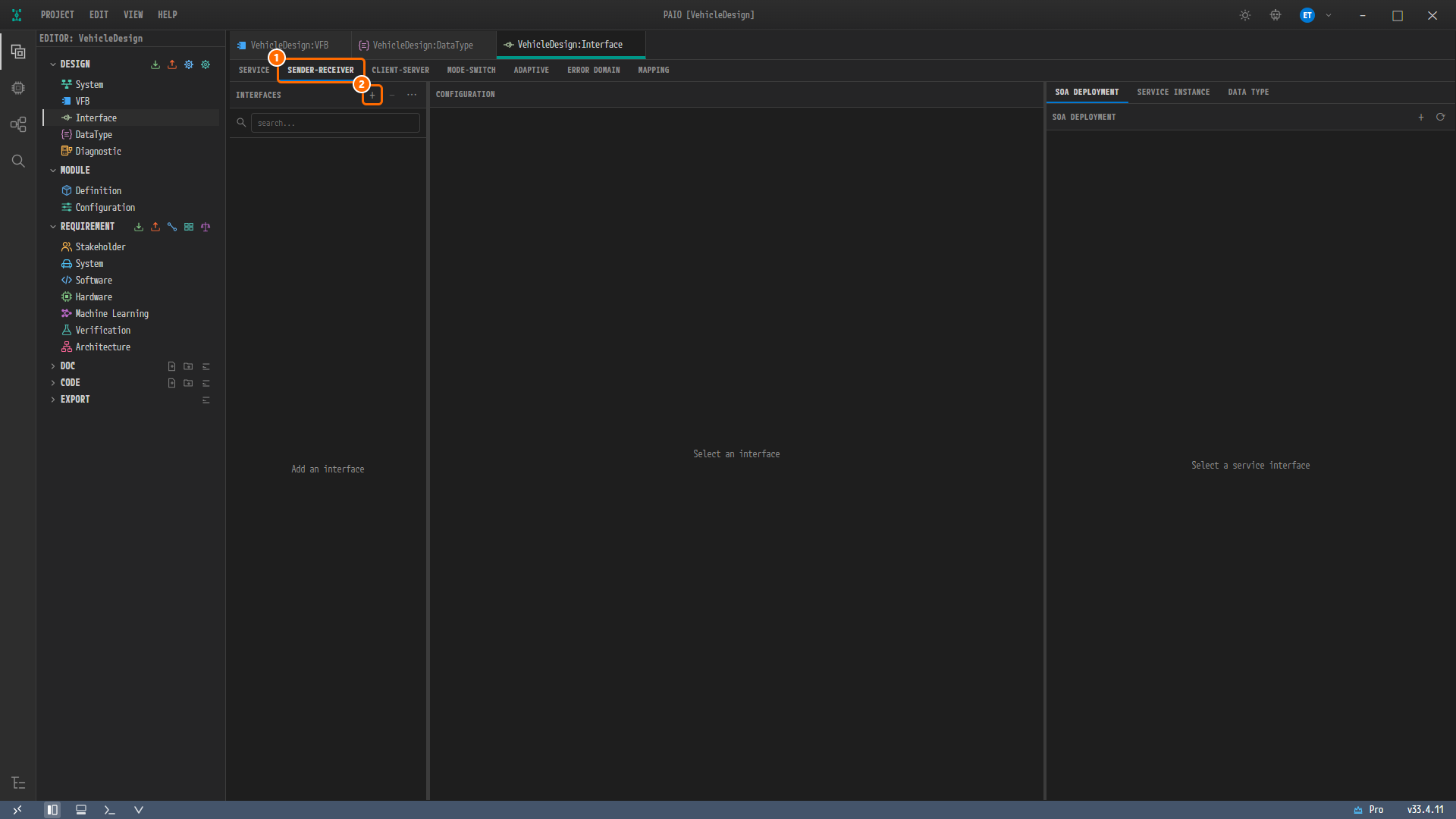
Figure 3-1. ① SENDER-RECEIVER, ② + (Add Interface).
-
Enter
IfSpeedin NAME and pressTab. -
Click + on the DATA ELEMENTS header. In the new row, enter
speedin NAME, open TYPE, typeSpeedTypeand click it in the list.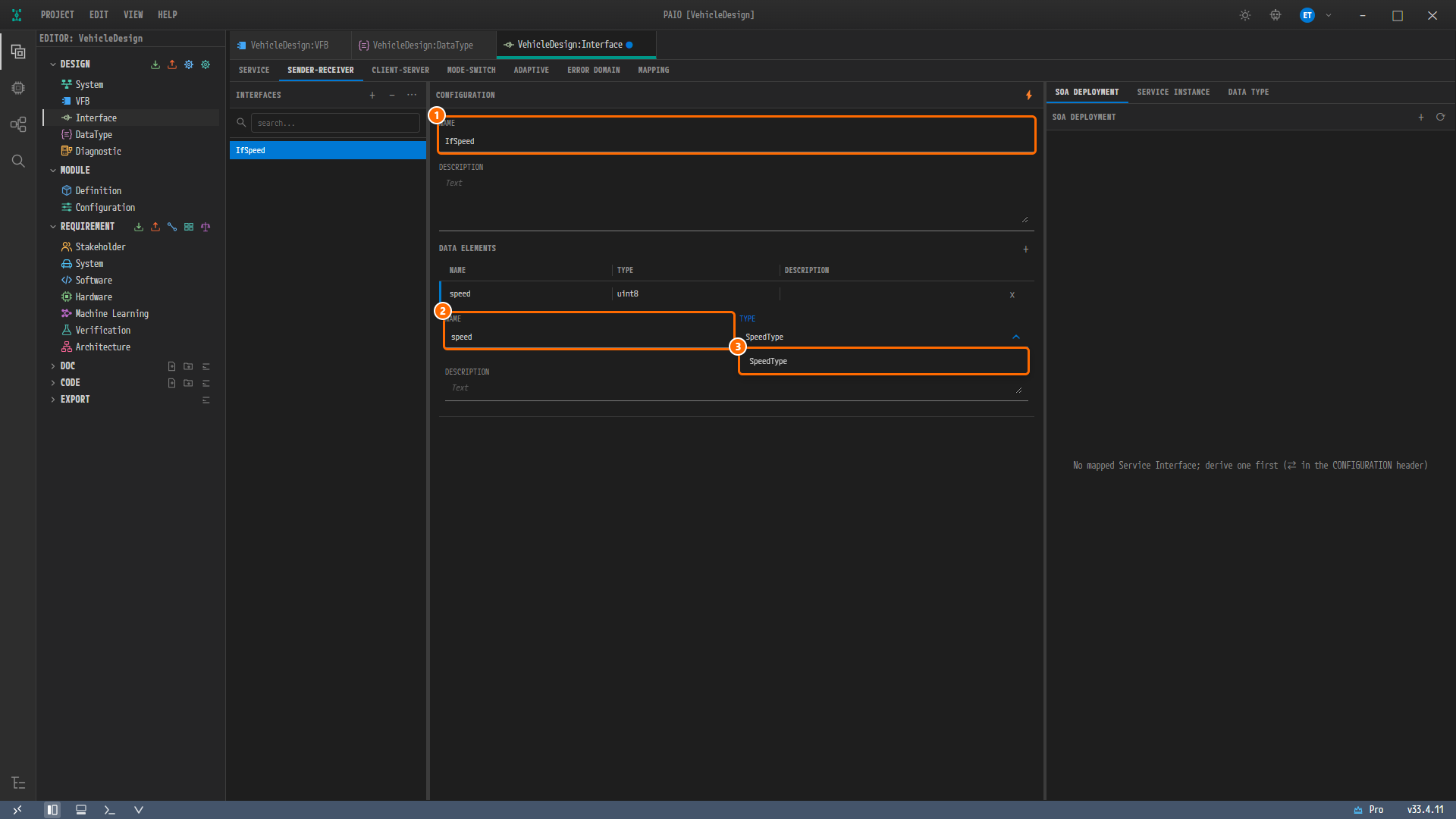
Figure 3-2. ① The interface NAME, ② the data element NAME, ③
SpeedTypein the TYPE list.
Creating IfScale
-
Click the CLIENT-SERVER tab and click + above the INTERFACES list. Enter
IfScalein NAME and pressTab. -
Click + on the OPERATIONS header and enter
GetScalein the operation's NAME. -
Click + on the ARGUMENTS header. Enter
scalein the argument's NAME, selectOUTin DIRECTION, and selectSpeedTypein TYPE. -
Save with
Ctrl+S.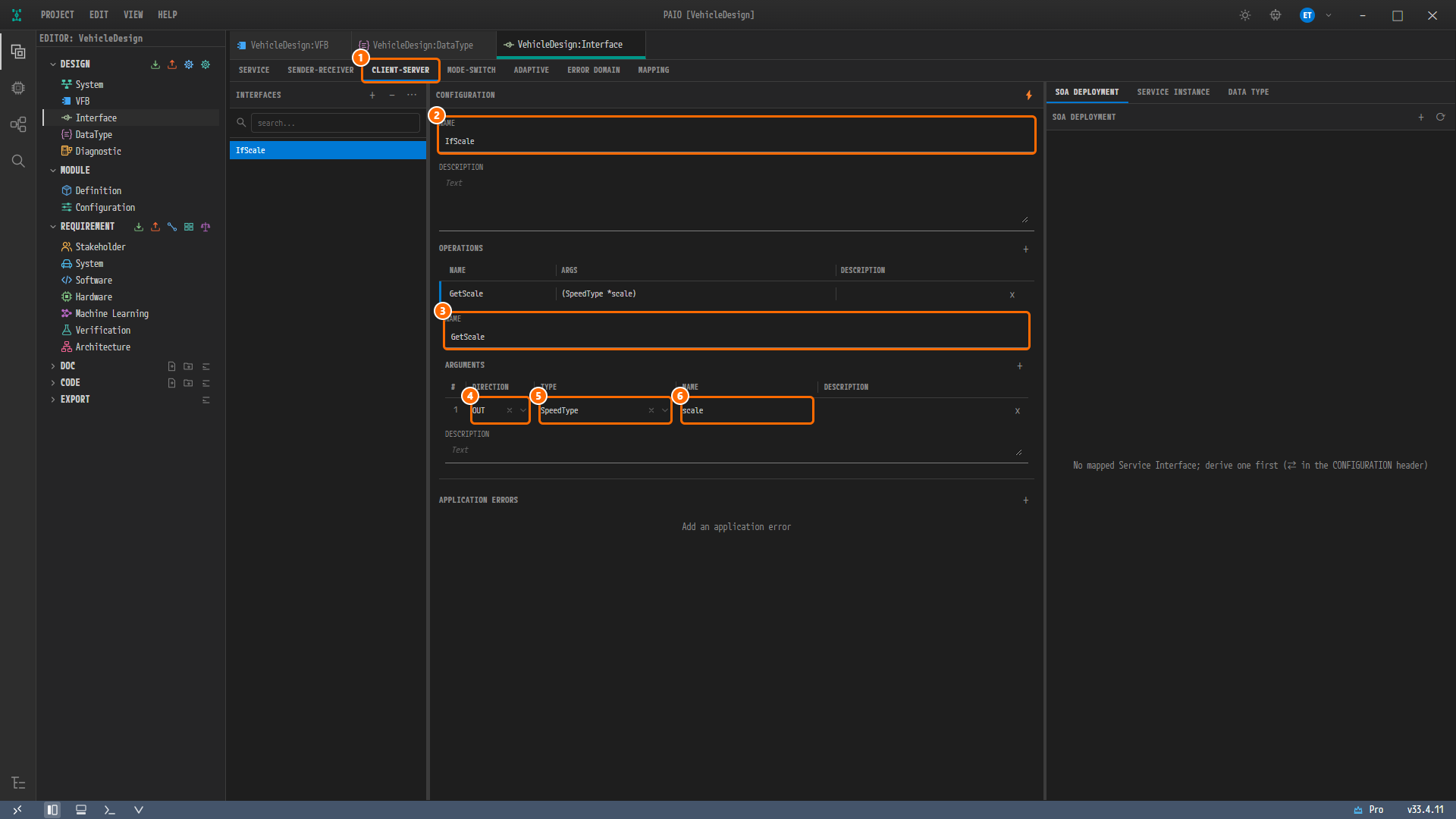
Figure 3-3. ① CLIENT-SERVER, ② the interface NAME, ③ the operation NAME, ④ DIRECTION, ⑤ TYPE, ⑥ the argument NAME. The ARGS column of the operation row reads
(SpeedType *scale): anOUTargument is passed as a pointer.
Why Is It Designed This Way?
- Two kinds of interface. Sender-receiver sends a value and does not wait for anyone. Client-server asks and gets an answer. This design uses one of each, so you meet both in one small example.
Checklist
- The SENDER-RECEIVER tab lists
IfSpeedwith the data elementspeedof typeSpeedType. - The CLIENT-SERVER tab lists
IfScalewith the operationGetScaleand its argumentscale. - The tab
VehicleDesign:Interfacecarries no modified mark.
Next Step
In SW-Cs and Ports you create the two SW-Cs and type their ports with these interfaces.